Notes List
Feature Detail
Description
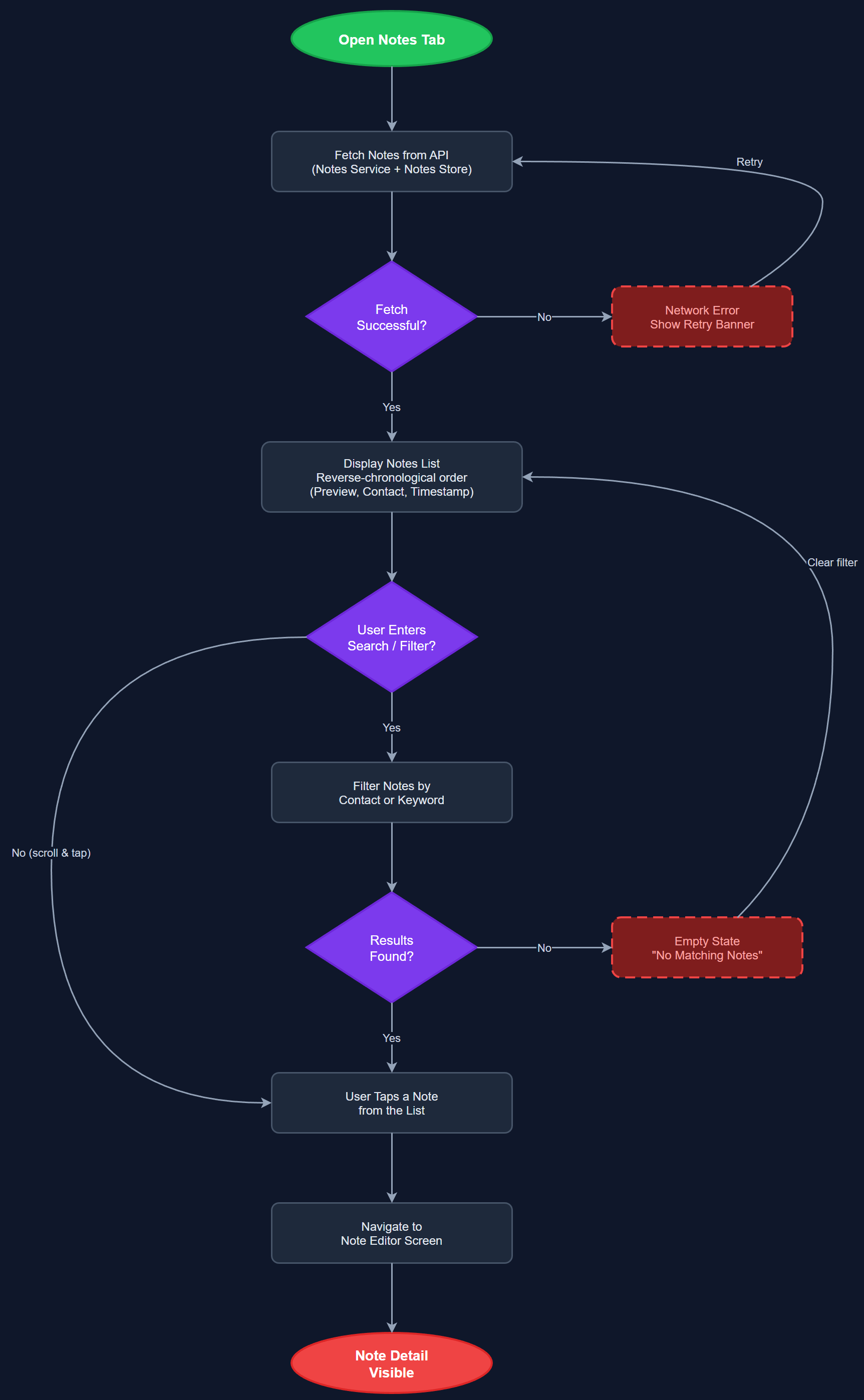
The Notes List feature provides peer mentors and coordinators with a scrollable, searchable overview of all notes associated with their contacts. Notes are displayed in reverse-chronological order with preview text, contact name, and timestamp. The list supports filtering by contact and keyword search, giving users fast access to previously recorded observations, follow-up reminders, and session summaries without navigating into individual contact profiles.
User Flow
Analysis
Notes are a critical tool for continuity of care — peer mentors often support the same contact over months or years, and having a consolidated view of past notes prevents information loss between sessions. For coordinators, the notes list provides oversight into the quality and frequency of peer mentor follow-up. Surfacing notes as a first-class list rather than burying them inside contact detail screens reduces friction and encourages more consistent note-taking. This directly supports the organisations' goal of documenting peer mentor work for Bufdir reporting and internal quality assurance purposes.
Implemented as a Flutter screen using BLoC for state management. Notes are fetched from the REST API with pagination support to handle large collections. The list widget uses a SliverList for performance with many items. Search is implemented client-side for cached notes and falls back to API query for full-text search. Offline support requires local SQLite caching of notes with sync-on-reconnect. WCAG 2.2 AA compliance requires all list items to have semantic labels and sufficient touch target sizes (minimum 44x44 logical pixels).
Components (115)
Shared Components
These components are reused across multiple features
User Interface (12)
Service Layer (34)
Data Layer (22)
Infrastructure (38)
User Stories
No user stories have been generated for this feature yet.