Notification Settings
Feature Detail
Description
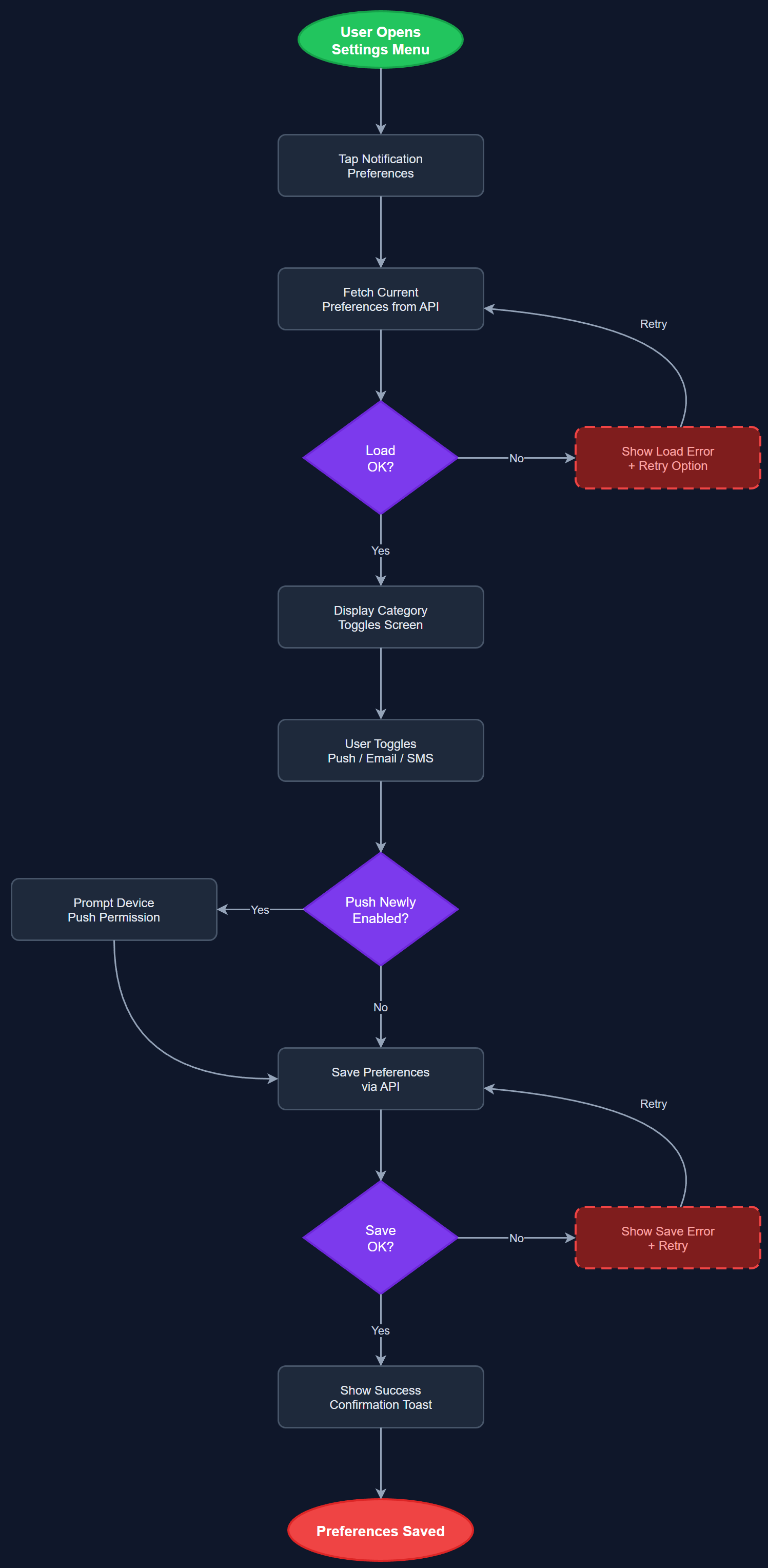
Notification Settings allows each user to control which notification types they receive and through which channels. The preferences screen presents a categorized list of notification scenarios (assignments, activities, events, expenses, certificates) with per-category toggles for push, email, and SMS. Preferences are persisted to notification_settings and push_tokens tables and are enforced by the rule engine before dispatch. The screen is accessible via the Settings menu and must meet WCAG 2.2 AA standards including full screen reader support and sufficient touch target sizing.
User Flow
Analysis
User control over notifications is both a legal requirement under GDPR (right to withdraw consent for direct communications) and a usability prerequisite for high adoption. Users who cannot manage notification frequency will disable all notifications or uninstall the app, eliminating the engagement benefits the platform depends on. Providing granular per-category and per-channel controls respects the diversity of the user base: a coordinator may want all channels enabled, while a peer mentor with low digital skills may prefer only push for direct assignments. Notification settings are also the enforcement point for the platform's GDPR consent model for communications.
The NotificationPreferencesScreen is a Flutter screen rendered from a fetched notification_settings record. Toggles are grouped by category using a categorized ListView with semanticLabel on each switch for screen reader support. On toggle change, a PATCH request updates the relevant field in notification_settings. Default preferences are created on user registration with sensible opt-in defaults; users are never auto-enrolled in SMS without explicit opt-in. The Push Token Store component handles FCM/APNs token storage and deletion: disabling push notifications revokes the push token on the server so no push is attempted. The Notification Rule Engine reads notification_settings before each dispatch and skips users who have opted out of the relevant category and channel.
Components (110)
Shared Components
These components are reused across multiple features
User Interface (12)
Service Layer (34)
Data Layer (22)
Infrastructure (38)
User Stories
No user stories have been generated for this feature yet.